
7 AI Agent Use Cases That Are Actually Making Money in 2026

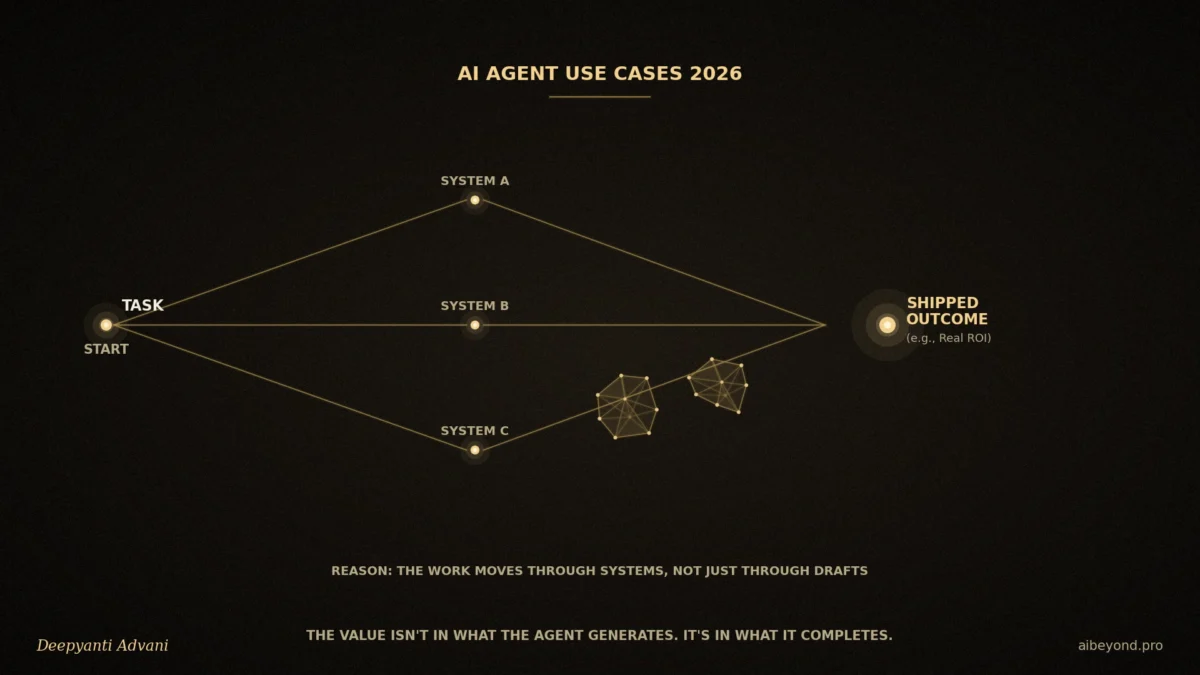
Where autonomous AI is creating real business value and where it still isn’t.
Most companies spent the last couple of years giving employees copilots and waiting for productivity to show up in the numbers. The copilots got good fast. The productivity gains, though, tended to stay stuck at the individual level people felt more productive, but it rarely moved the business.
That’s the gap agents are supposed to close, and it’s worth being precise about why. A copilot drafts something and hands it back to you. An agent is given a goal, figures out the steps, takes action across your actual systems, and only comes back to you when something falls outside its lane. Moving from *generating content* to *finishing multi-step work* is where the real commercial case either holds up or falls apart.
Mostly, it still falls apart. Adoption numbers this year are high most companies have at least one agent running somewhere in production. But there’s a well-documented split between individual usage and organizational ROI: plenty of people say AI helps them personally; far fewer say it’s changed what their business actually produces. A meaningful share of agent projects launched this year won’t survive their next budget review, not because the models weren’t good enough, but because the workflow underneath them was never a great fit to begin with.
So here are the seven places where agents are genuinely earning their keep right now, and a straight answer on where they still don’t make sense.
What Actually Changed
Automation follows a fixed rule: something happens, an action fires. Cheap and reliable, as long as nothing changes.
A copilot helps a person do a task faster. You’re still doing the work; it’s just less tedious.
An agent works from a goal instead of a task. It plans, acts across systems, and loops you in only for the parts that need judgment.
That third pattern earns its complexity when a workflow has a certain shape: several steps, several systems, messy unstructured input, repetitive judgment calls, a measurable outcome at the end, and a manageable trickle of exceptions. Sales qualification has that shape. So does support. A simple, one-step, perfectly predictable task usually doesn’t and bolting an agent onto it tends to make things slower and pricier than the basic automation it replaced.
Worth saying plainly: AI showing up in a workflow isn’t automatically valuable. It’s valuable when it removes real cost or reaches an outcome a person or a simple rule genuinely couldn’t.
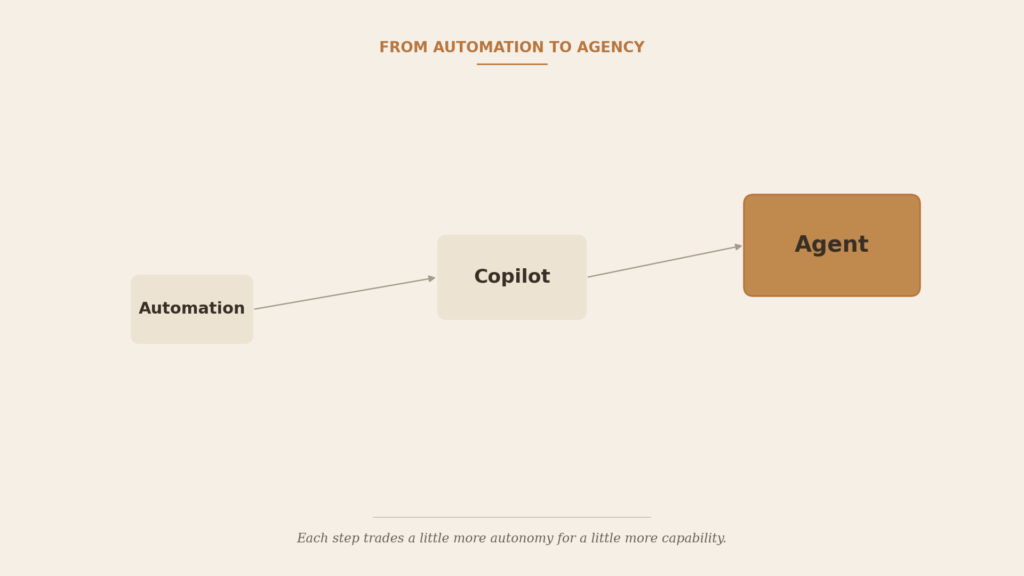
Figure 1 From Automation to Agency: each step trades a little more autonomy for a little more capability.
What Makes an Agent Worth Building?
It helps to separate what a model *can* do from what it’s actually *worth* doing. A model can be brilliant at a task nobody needed done that often, and the business impact is still zero.
A rough way to think about it:
Business Value ≈ (Work Completed × Frequency × Value of That Work) − Build Cost − Oversight Cost
Don’t treat this as a formula to plug numbers into treat it as a checklist. Agents look better as the workflow happens more often, eats more expensive people’s time, produces a measurable outcome, can actually reach the systems it needs, tolerates the occasional recoverable mistake, and lets human review focus on real exceptions instead of every single case.
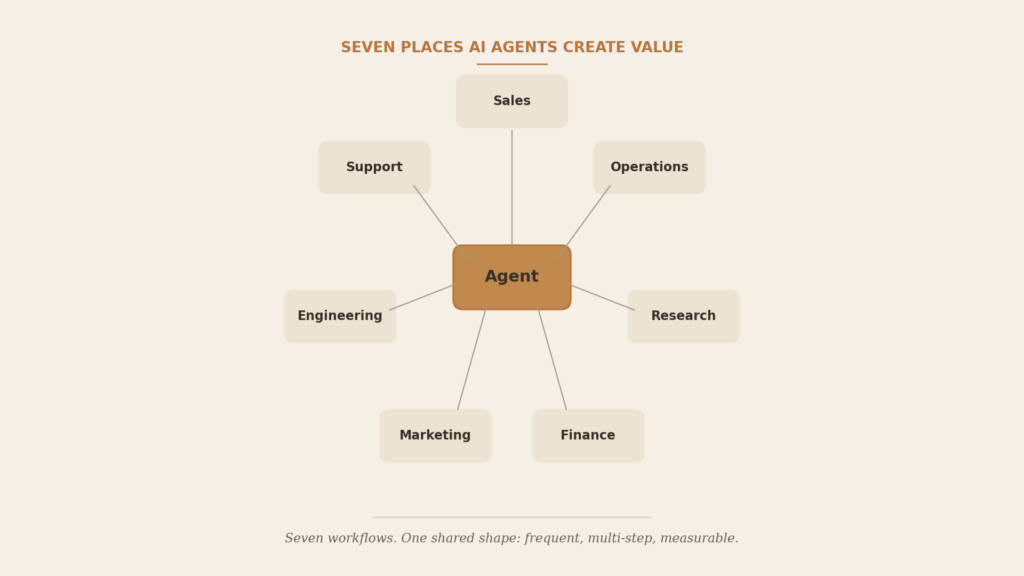
Figure 2 Seven Places AI Agents Create Value.
The 7 Use Cases That Actually Matter
1. Sales Qualification and Lead Routing
The agent takes an inbound lead, enriches it, checks it against your qualification bar, asks a clarifying question if it needs to, routes it to the right rep, and updates the CRM all before a human would have finished reading the email.
Why it works: response speed decays fast. An agent that engages in minutes, at 2am on a Saturday, converts leads a next-morning human follow-up would’ve lost.
The catch: garbage CRM data in means garbage routing out, at scale, confidently. And over-eager automated outreach burns trust faster than a slow human ever could.
Best fit: B2B teams with real inbound volume and CRM data worth trusting.
2. Customer Support Resolution
The line that matters here: a chatbot answers, an agent investigates and acts. It pulls the actual order record, checks it against the actual policy, and resolves the case refund, update, cancellation instead of pointing at a help article.
Why it works: consistency. The agent applies the same logic every time, at any volume, without the natural variance you get across a team of humans.
The catch: give it too much authority too early and it resolves cases wrong just as efficiently as it resolves them right.
Best fit: high ticket volume, well-documented policy, systems the agent can actually plug into.
3. Software Engineering and IT Operations
Debugging, codebase exploration, test generation, issue triage, incident investigation, routine infra work. Not a replacement for engineers the honest value is freeing up senior engineering time currently spent on repetitive investigative work.
The catch: verification cost is real. An agent that writes plausible-but-wrong code faster than you can review it hasn’t saved you anything it’s just moved the cost from writing to reviewing.
Best fit: teams with mature CI/CD and real code review discipline already in place.
4. Marketing Operations
Not content generation the operational layer underneath it: campaign setup, segmentation, QA before launch, performance monitoring, anomaly flags. This is a strong fit because it combines everything agents are good at: many disconnected systems, repetitive steps, measurable outcomes.
The catch: an agent that can launch a campaign can also misconfigure and launch one, across every channel, at machine speed.
Best fit: teams running campaigns across several platforms where setup and monitoring eat more time than strategy does.
5. Finance and Back-Office Operations
Invoice processing, expense review, reconciliation support, document extraction, anomaly detection. Agents are good at unstructured documents invoices, receipts, contract terms that rule-based systems choke on.
The catch (and it matters more here than anywhere else): the cost of a wrong action is asymmetric. A misrouted support ticket is a minor annoyance; an incorrect vendor payment isn’t. Anything with real financial weight should still go through a human approver.
Best fit: high transaction volume, well-documented policy, clear approval thresholds.
6. Research and Competitive Intelligence
Not “AI can summarize an article” the real value is that an agent can watch a changing information environment continuously and only surface what actually needs your attention. Pricing shifts, competitor releases, regulatory changes, tracked and filtered automatically.
The catch: tune it to flag too much and people learn to ignore it. Tune it to flag too little and it misses the thing that mattered.
Best fit: competitive markets where manual monitoring reliably falls behind.
7. Operations and Workflow Management
This might be the biggest opportunity of the seven, because agents can sit across multiple systems instead of living inside one app coordinating onboarding, logistics exceptions, internal requests, scheduling, across HR software, an ERP, a ticketing tool, and email.
The catch: a workflow touching five systems has five places where one broken integration quietly breaks the whole thing.
Best fit: operations-heavy businesses where people currently spend real time just shuttling information between tools.
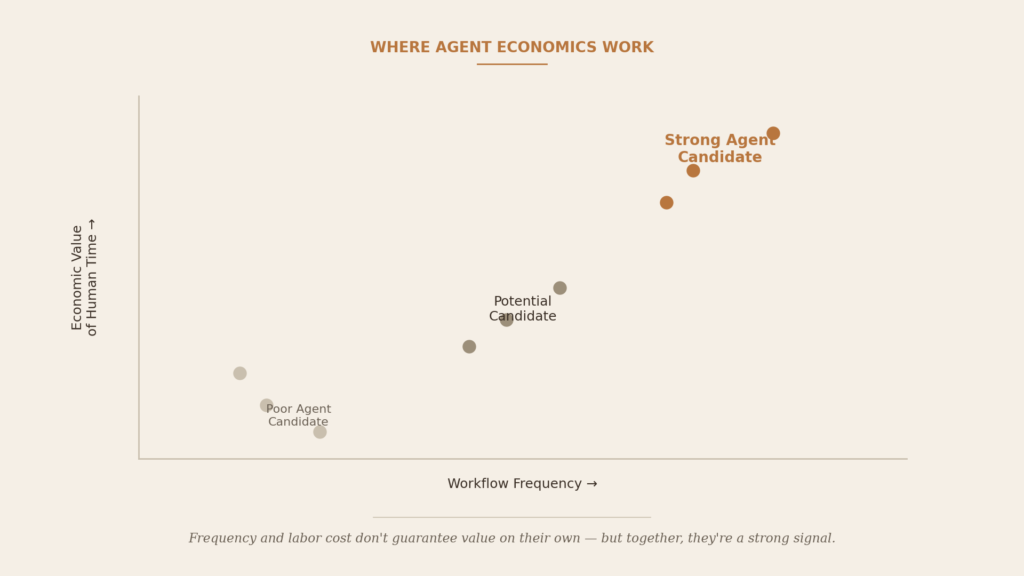
Figure 3 Where Agent Economics Work: frequency and labor cost, plotted together.
Where Agents Don’t Make Sense
Simple, predictable workflows don’t need the complexity. Low-volume tasks rarely justify the setup cost. Anything with an extremely expensive mistake certain legal or financial decisions needs oversight heavy enough to erase the savings. If the data isn’t reachable through a usable system or API, the integration cost alone can sink it. Processes that get redesigned every quarter are exhausting to keep an agent aligned with. And if the review needed to trust the output takes as long as doing the task yourself, you haven’t saved anything you’ve just added a step.
The through-line: not every workflow needs an agent, and knowing when to say no is worth more right now than knowing how to build one.
Automation vs. Copilot vs. Agent
Automation triggered by a fixed rule, makes no real decisions, one system, best for stable high-volume tasks, risk is brittleness when things change.
Copilot triggered by a person, assists a decision without making it, one app at a time, best for creative or analytical speed-ups, risk is inconsistent adoption.
Agent triggered by a goal, plans and decides across steps, multiple systems, humans involved at defined exception points, best for multi-step multi-system work, risk is compounding errors if permissions aren’t scoped carefully.
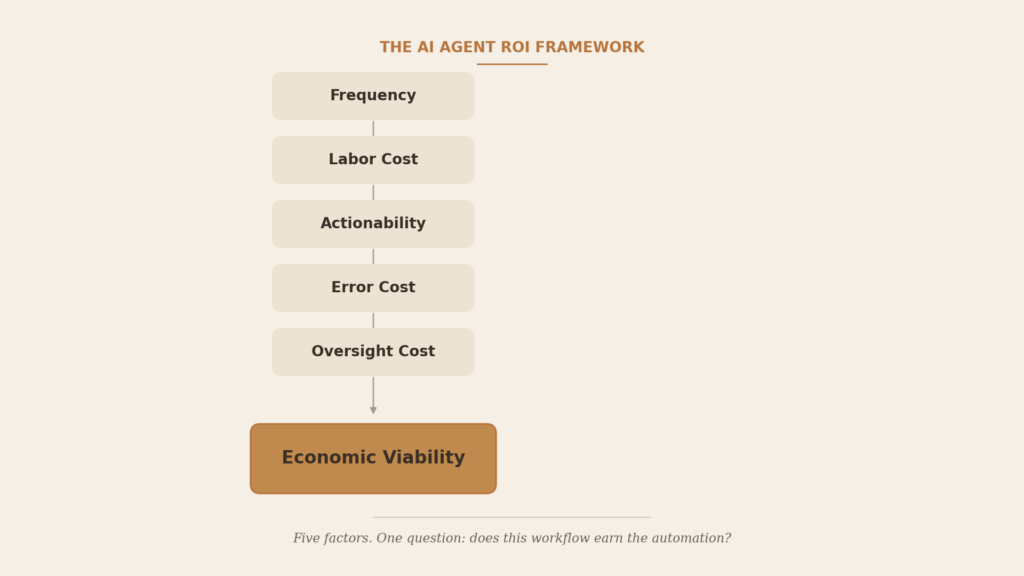
Figure 4 The AI Agent ROI Framework.
A Simple ROI Framework
Five things determine whether a workflow is a good candidate: how often it happens, how expensive the labor is, whether the agent can actually act on it, what a mistake costs, and how much review the output needs. High frequency, high labor cost, a measurable outcome, and a manageable error risk that’s a strong candidate. Weaken any one of those, especially error cost or oversight cost, and the case gets a lot harder to make.
Quick readiness check:
- Can we define the workflow end to end?
- Does it happen often enough to matter?
- Do the systems it touches expose real data or APIs?
- Can we actually measure the outcome?
- Are mistakes recoverable?
- Do we know what needs human approval?
- Can we monitor performance ongoing?
- Does the expected value clearly beat the cost?
If more than a couple of those are shaky, the workflow probably isn’t ready yet.
Common Mistakes
Automating a broken process instead of fixing it first. Handing an agent too much authority before it’s earned it. Underestimating integration cost. Measuring activity (tickets resolved) instead of outcomes (revenue protected). Treating a human checkpoint as a failure instead of good design. And building an agent where a much simpler automation would’ve done the job.
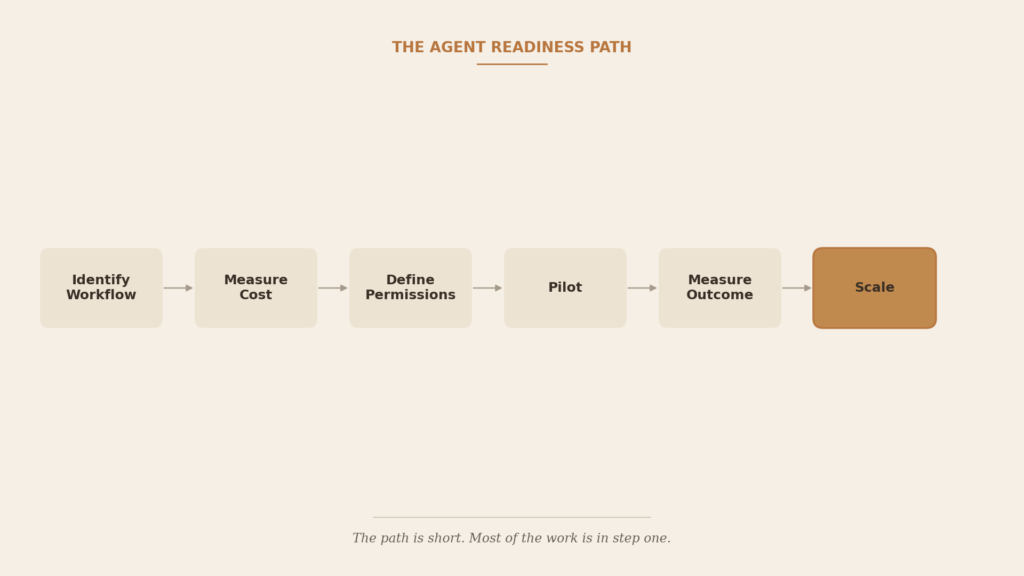
Figure 5 The Agent Readiness Path.
Where This Is Headed
Multiple specialized agents handing work to each other instead of one agent trying to cover a whole process. Better memory across sessions. More reliable tool use. Clearer permissioning and audit trails, since enterprises want to know exactly what an agent did and why. More deliberate placement of human checkpoints, treated as real design rather than an afterthought. Early agent-to-agent coordination inside controlled boundaries, most likely showing up first in operations workflows.
None of this points toward full autonomy as the end state. It points toward better-instrumented partial autonomy which is where the value has been all along.
Bottom Line
The opportunity isn’t giving AI more autonomy everywhere. It’s giving it autonomy where the economics actually hold up: frequent work, measurable outcomes, reachable systems, and mistakes you can afford. Narrower than the current hype suggests. Also a lot more durable.
Next steps: pick one repetitive workflow the most frequent one, not the flashiest. Measure what it actually costs today. Separate the steps that need judgment from the ones that don’t. Decide exactly what the agent can and can’t do. Run a small pilot with a success metric you agreed on in advance.
FAQ
What’s the difference between a chatbot and an agent? A chatbot answers. An agent investigates a real situation, takes permitted actions, and carries a task through to resolution.
Are agents actually saving companies money? In the right workflows, yes high frequency, measurable outcomes, reachable systems. Outside those, results are inconsistent, and a lot of deployments don’t survive their first real ROI review.
Do agents need human supervision? Pretty much always, today. High-stakes areas like finance keep humans closer to the loop than something like initial lead qualification.
Should a small business bother with agents? Selectively one well-chosen, high-frequency process, not a company-wide rollout on day one.
